NSCommander
A dual-pane file manager for macOS inspired by Norton Commander. Built for the discerning minimalist.
About NSCommander
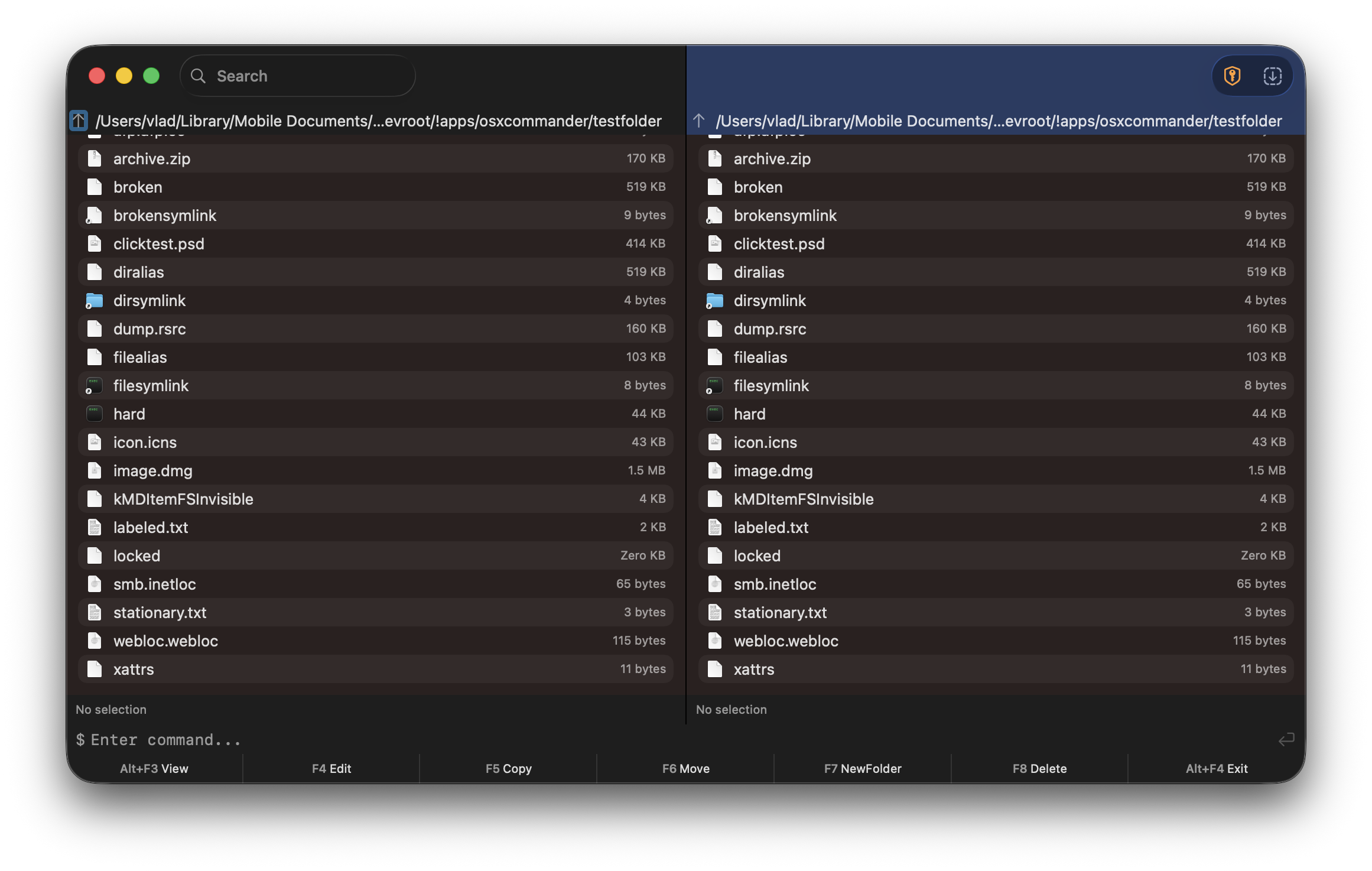
NSCommander brings the classic dual-pane file manager experience to modern macOS. Inspired by Norton Commander and similar orthodox file managers, it provides efficient keyboard-driven file management in a native SwiftUI application.
Features
- Dual Pane Layout - Side-by-side file browsing with resizable split view
- Keyboard Navigation - Tab key switches between panes
- File Operations - Copy, Move, Delete operations between panes
- Extended Attributes - View xattr info for selected files
- Integrated Terminal - Built-in zsh command line with history
- Function Key Bar - Classic F3-F8 shortcuts at the bottom
- Native Icons - Uses system file icons from NSWorkspace
- Active Pane Highlight - Visual indication of the focused pane
Keyboard Shortcuts
- Tab Switch between left and right panes
- Enter Open file or navigate into folder
- Alt+F3 View file
- F4 Edit file
- F5 Copy to other pane
- F6 Move to other pane
- F7 Create new folder
- F8 Delete (move to Trash)
- Alt+F4 Exit application