MagicPrefs 2.6
The new MagicPrefs is now here (macOS 15+)
MagicPrefs 2.6, launching 16 years after the original release, is rebuilt from the ground up using the latest Apple dev tools and api's. The result is a slimmed down and more responsive app that i can maintain long term. The app is now only free for 7 days, i now charge £26 for a 2 year license.
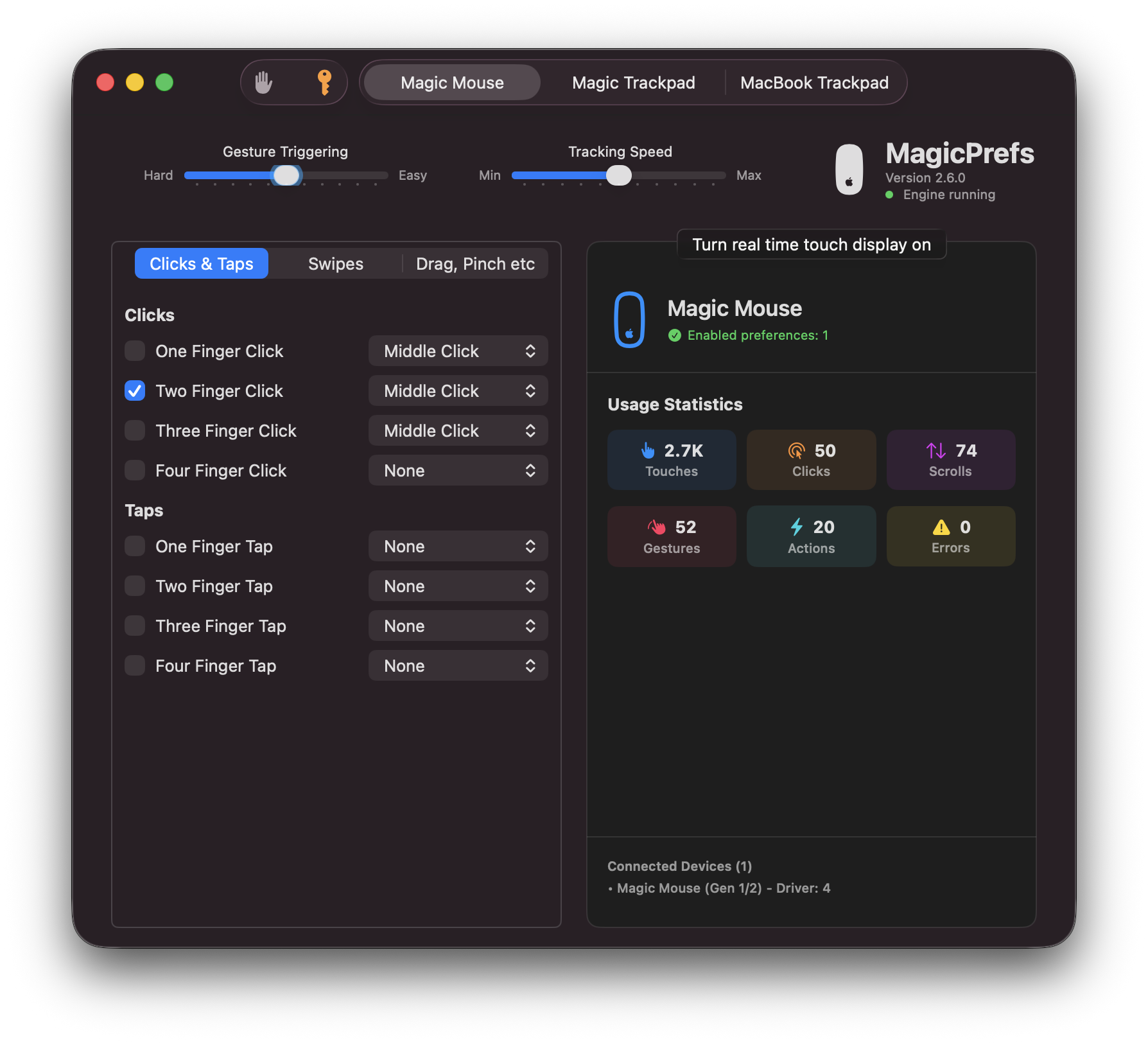
Before & After
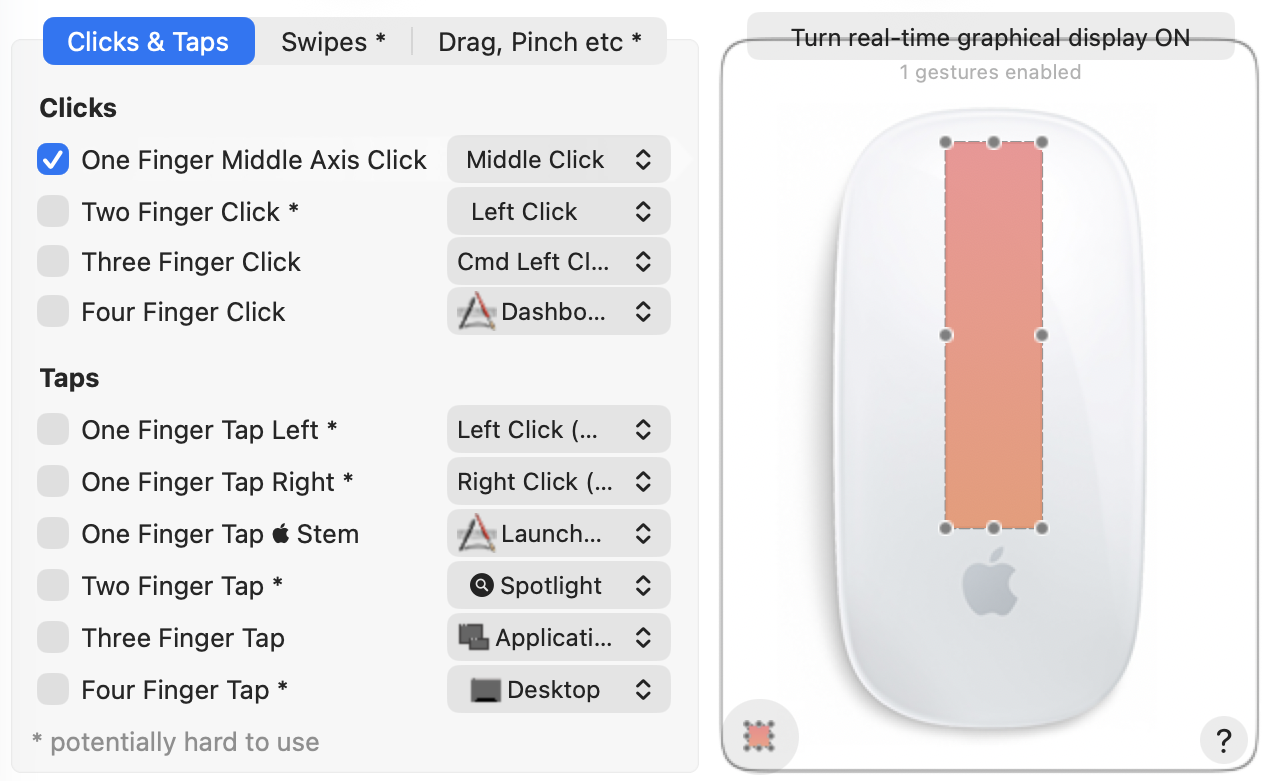
The evolution from MagicPrefs 2.4 to 2.6 represents a complete UI transformation. The old Carbon-based interface (left) has been replaced with a modern SwiftUI design (right) featuring glassmorphic elements, system-native controls, and a cleaner layout that respects macOS design principles.
Easy Permissions Setup
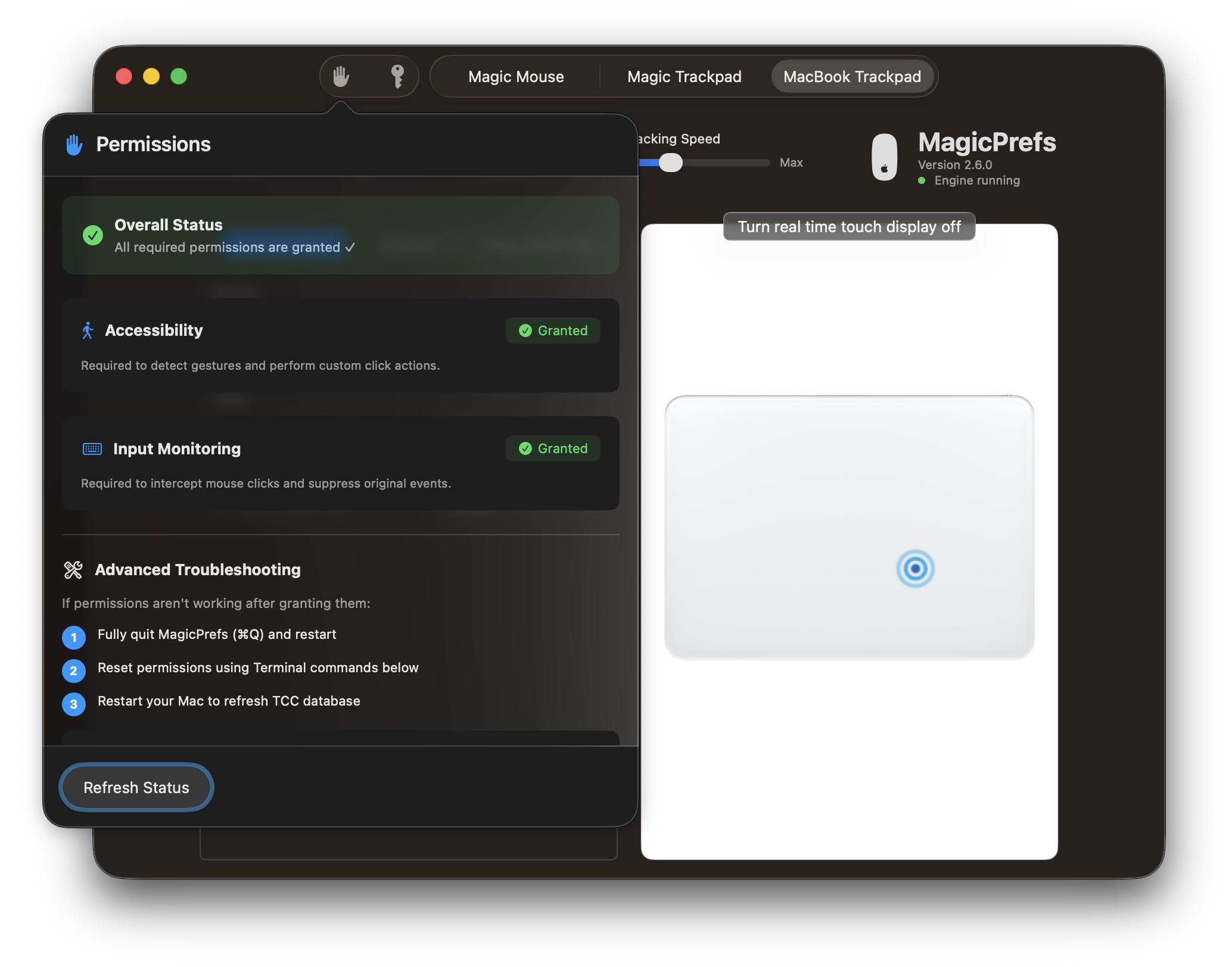
MagicPrefs 2.6 guides you through the required macOS permissions with a streamlined interface. The app needs Accessibility permissions to intercept and process Magic Mouse and Magic Trackpad gestures. Clear visual indicators show your permission status, and helpful buttons take you directly to System Settings when needed.
Blazing Fast Performance
- Native Swift Engine: Rewritten entirely in Swift 6, replacing the legacy Objective-C codebase for maximum efficiency and speed.
- Lightweight Footprint: Optimized resource usage means it runs silently in the background without draining your battery.
- Apple Silicon Ready: Fully optimized for M1, M2, and M3 chips, ensuring snappy launches and instant response times.
Enhanced Precision
- Smart Touch Recognition: A re-engineered touch engine uses advanced buffering to intelligently distinguish between accidental brushes and intentional gestures.
- Reliable Multitouch: Improved detection for complex 3 and 4-finger taps, ensuring your commands execute exactly when you intend them to.
- Smooth Response: Direct integration with the macOS touch framework reduces latency for a "one-to-one" feel.
Modern macOS Design
- Glassmorphic Interface: A beautiful new UI built with SwiftUI that respects system themes, transparency, and dark mode.
- Seamless Integration: The new Menu Bar interface feels like a native part of macOS, giving you quick access to settings without clutter.
- Interactive Visualizer: See your touches in real-time with a smooth, redesigned gesture visualizer that helps you troubleshoot and learn.
Security & Reliability
- Transparent Privacy: Built with modern permissions standards, so you always know exactly what access the app has and why.
- Rock-Solid Settings: A new configuration system ensures your custom preferences are saved instantly and never lost.
- Crash-Free Stability: Modern error handling and concurrency make the app significantly more stable than previous versions.
Removed Features
- Presets: To keep complexity down i removed saving/loading presets per application.
- Plugins: The plugin architecture was deprecated in favor of a monolithic sandboxed Swift application.
- MagicMenu: The on-screen menu interface was removed to focus on core gesture functionality and system responsiveness.
- Battery Level: Battery monitoring logic was removed as macOS now provides reliable native battery indicators for Bluetooth devices.
Removed Features under consideration for porting to version 2.6
- Scrolling: Two finger scrooling configuration is one of the
most requested features to add back and the plan is to add it in a future version this year.
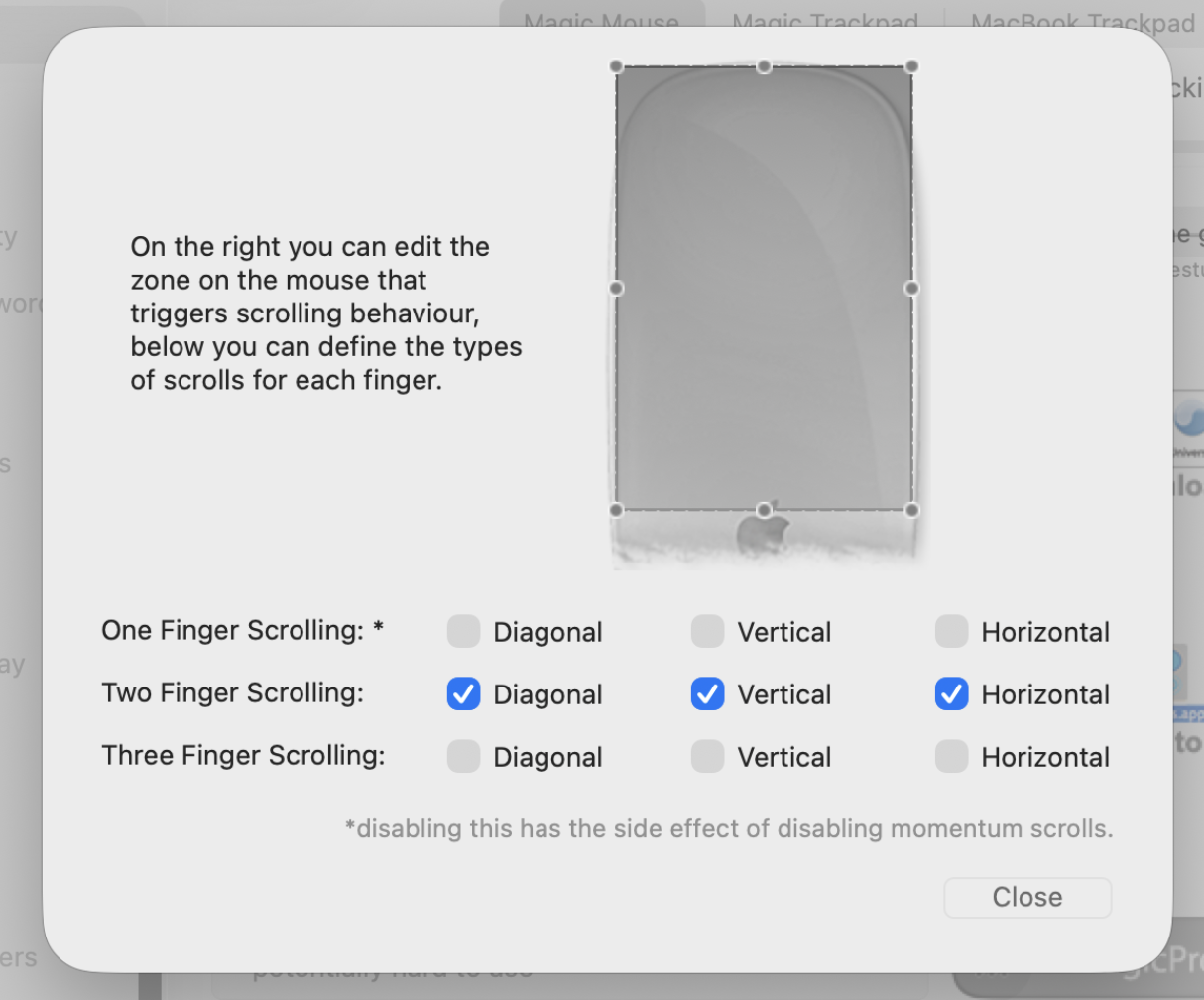
- Zones: The customisable zones feature is also something
that can be added back if enough interest is shown.
- App Actions: The app actions feature is also under consideration if i get more requests for it.
- New features: Even if extremely discerning I am always interested in new feature ideas, please get in touch
Vote for upcoming features